Once you have your activation code, follow these steps inside the app.
Get the installer for your platform from the download page and install.
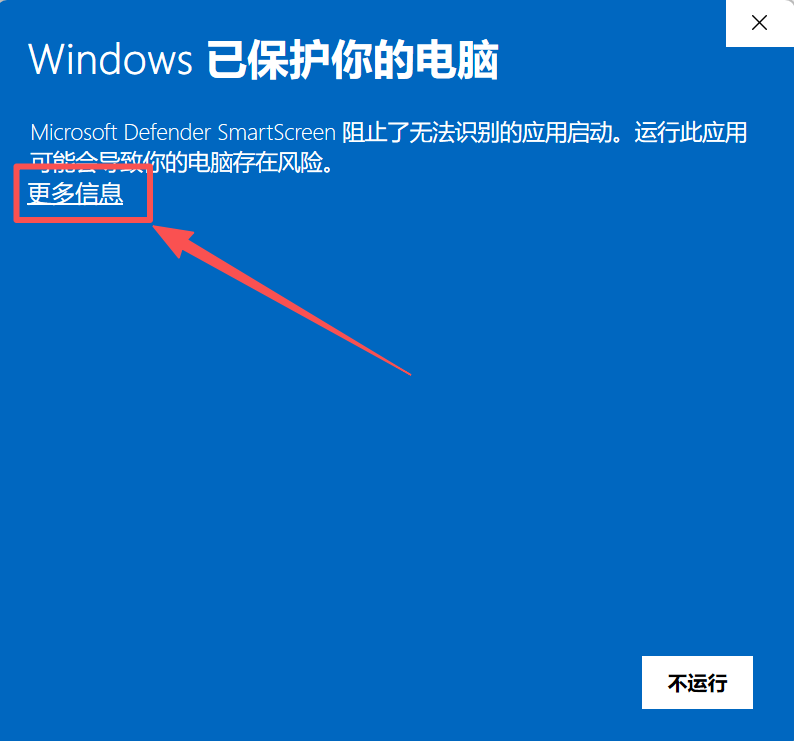
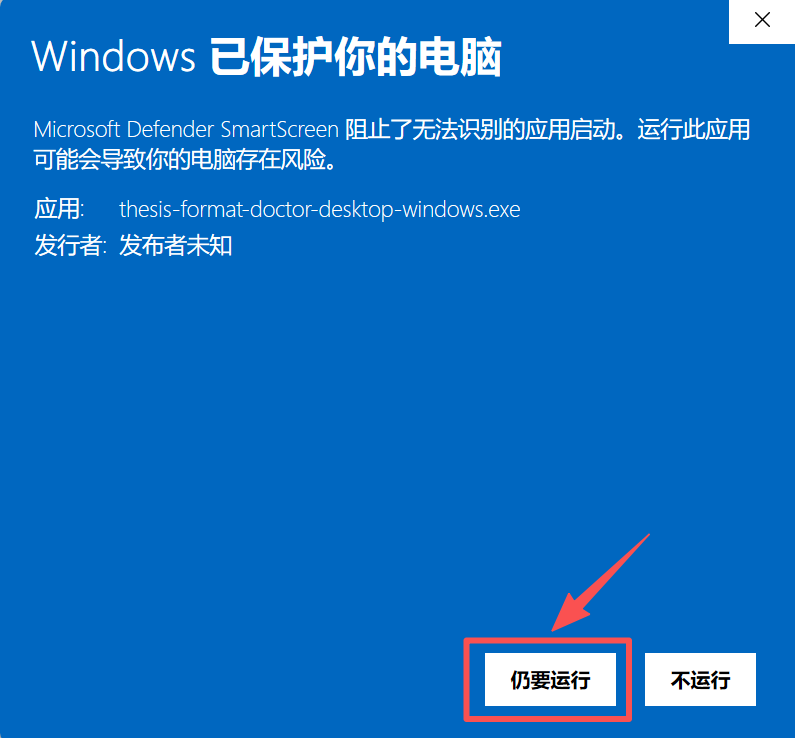
This app is unsigned (to avoid the yearly code-signing certificate fee). Windows may show a "Windows protected your PC / blocked" prompt. To proceed: click More info (left image below) → then click Run anyway (right image below).
Paste your activation code in the activation window and click activate for lifetime use. After purchase you receive a code by email (our payment provider Paddle emails it automatically). For any issue, email [email protected].
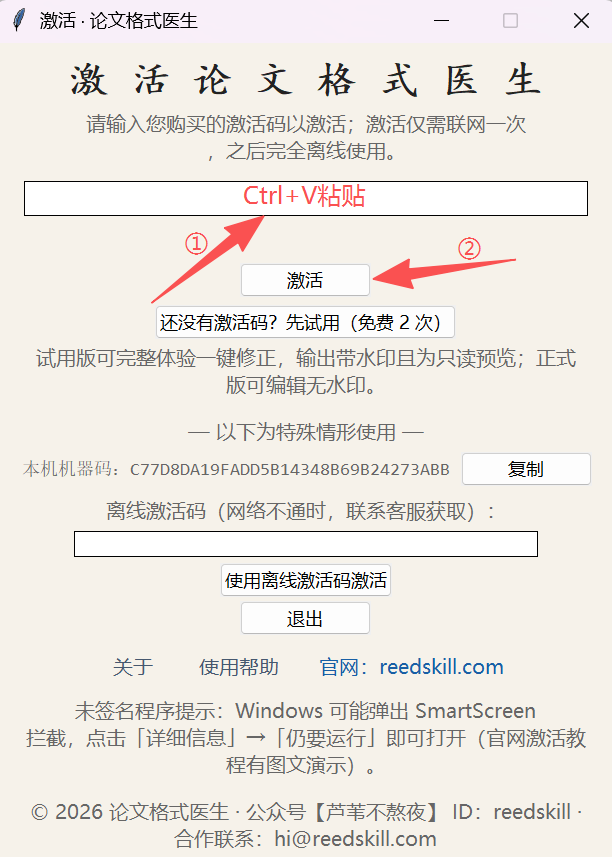
The activation code is per-machine and binds to this device after purchase. For activation issues, email [email protected].
 PaperFormat Pro